
May 10, 2026
How D-Bus works in Embedded Linux
D-Bus often looks more complicated than it really is. Once you understand names, object paths, interfaces, methods, properties and signals, the whole model becomes much easier to reason about.
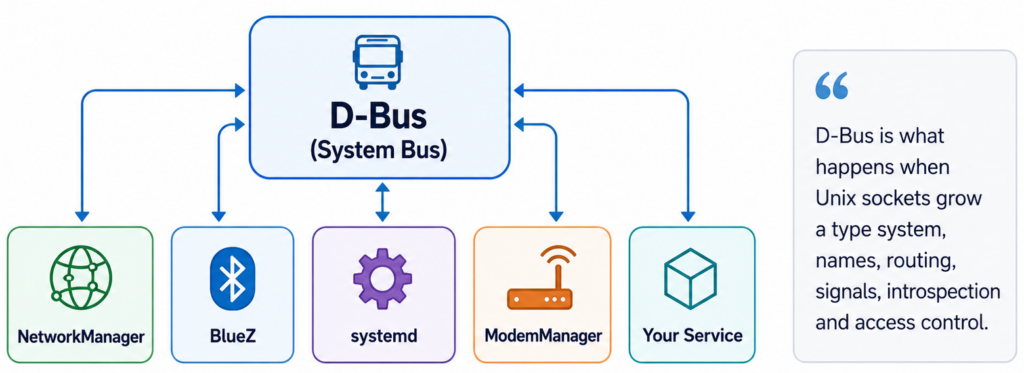
When you boot an embedded Linux device, there is a good chance that half of your system already talks over D-Bus. NetworkManager exposes network state. BlueZ exposes Bluetooth adapters and devices. systemd exposes units, jobs and system state. ModemManager does the same for cellular modems.
At some point, your own daemon may need to expose a D-Bus API too. That is where many developers get uncomfortable. At first, D-Bus looks strange. There are bus names, object paths, interfaces, methods, properties, signals, unique names, well-known names and XML introspection. It feels like a lot.
But the core idea is simple:
D-Bus is just a local message bus.
Or, less formally: D-Bus is what happens when Unix sockets grow a type system, names, routing, signals, introspection and access control.
Under the hood, local D-Bus communication commonly uses Unix domain sockets. But instead of each daemon inventing its own private socket protocol, D-Bus gives the system a shared way to expose local APIs.
Processes connect to the bus. They send messages. The bus routes those messages to the right destination. That is the mental model you need first.
ⓘ Note
Strictly speaking, D-Bus is both a message bus system and a protocol. In practice, embedded developers usually meet it through the system bus daemon and tools such as busctl, dbus-send or gdbus.
System bus and session bus
There are usually two kinds of D-Bus buses:
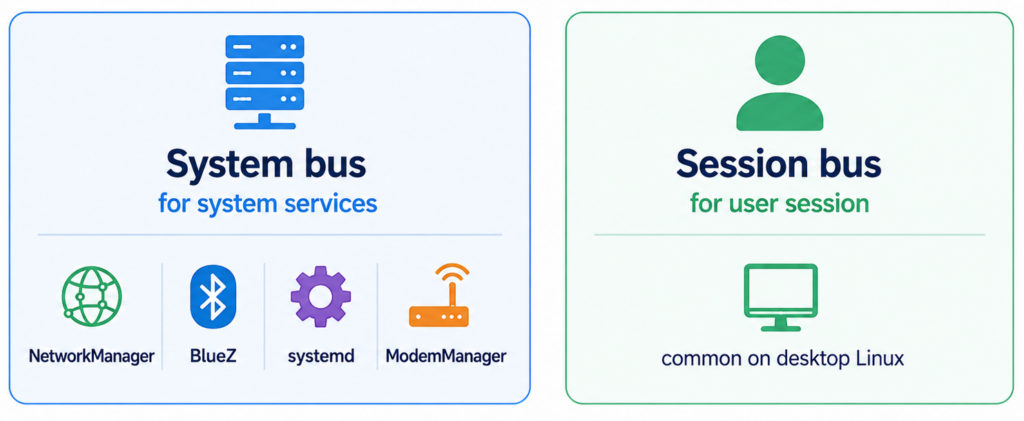
- The system bus is used by system services. This is the bus you usually care about in embedded Linux. Network configuration, Bluetooth, modems, system services, power management and product-specific daemons usually live here.
- The session bus is associated with a user session. It is common on desktop Linux systems, where graphical applications need to talk to each other.
In headless embedded Linux, the session bus is often irrelevant. So when someone says “D-Bus” in an embedded Linux context, they usually mean the system bus.
The four coordinates of a D-Bus call
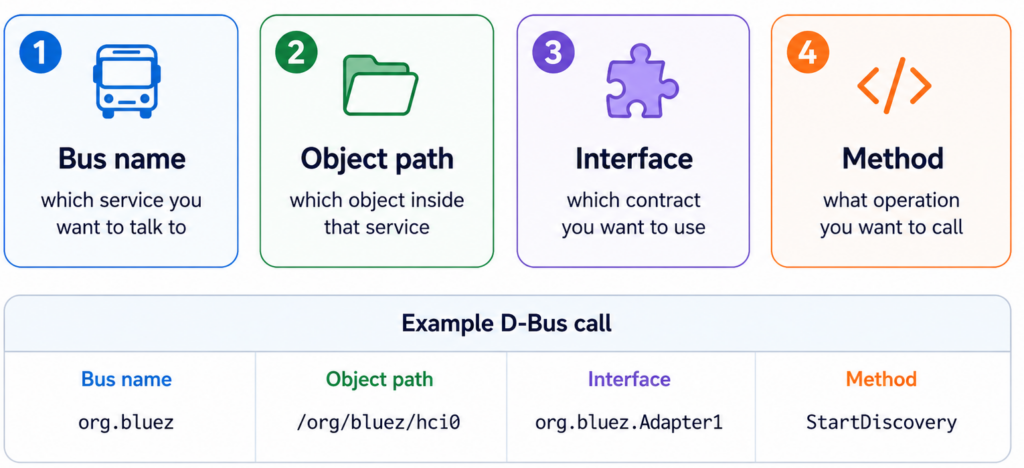
To call something over D-Bus, you usually need four things. Each part answers a different question.
- The bus name says which service you want to talk to.
- The object path says which object inside that service you want to address.
- The interface says which contract you want to use.
- The method says what operation you want to call.
Once you understand these four coordinates, D-Bus becomes much less mysterious.
Services own names
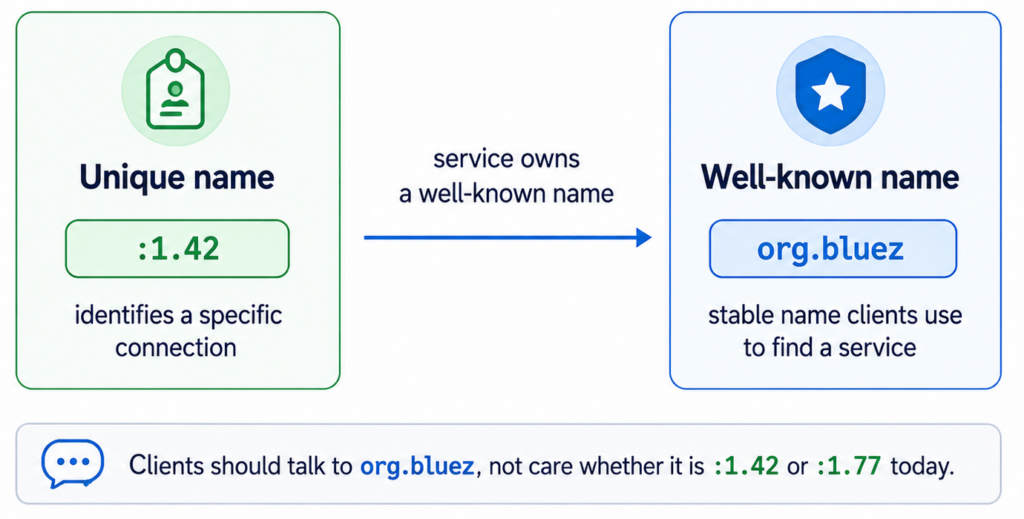
A process connected to D-Bus gets a unique name, something like :1.42
This name identifies a specific connection to the bus. But clients usually do not want to talk to :1.42. They want to talk to a stable service name: org.bluez This is called a well-known name.
A service owns a well-known name so clients can find it without caring about the current unique connection name. Your client should not care whether BlueZ is currently :1.42, :1.77 or something else. Your client talks to org.bluez.
Object paths are public endpoints
Inside a service, functionality is exposed through object paths.
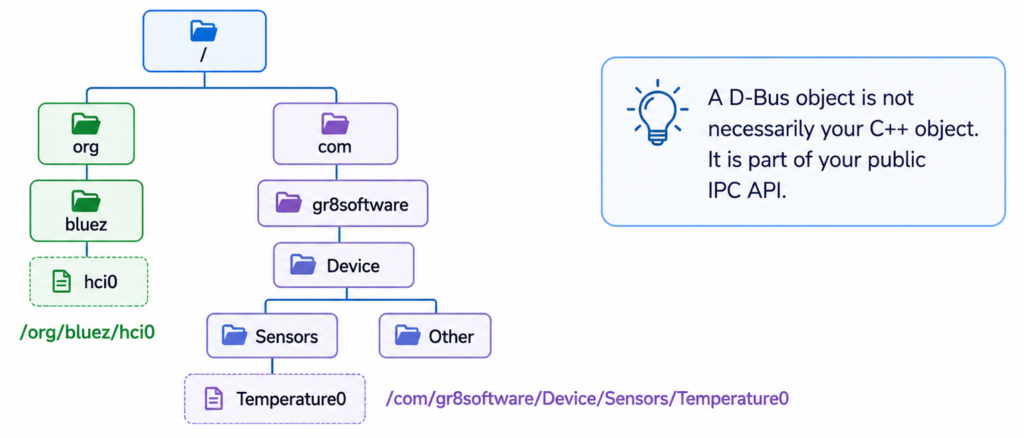
An object path looks like a filesystem path, but it is not a file. It is a logical address of an object exposed by a D-Bus service. Also, a D-Bus object is not necessarily your C++ object. That distinction matters. A D-Bus object is part of your public IPC API. It is an endpoint that other processes can address. How you implement it internally is a separate decision.
⚠ Warning
Do not design your D-Bus API by blindly exposing your internal class hierarchy. That is how implementation details become public contracts.
Interfaces are contracts
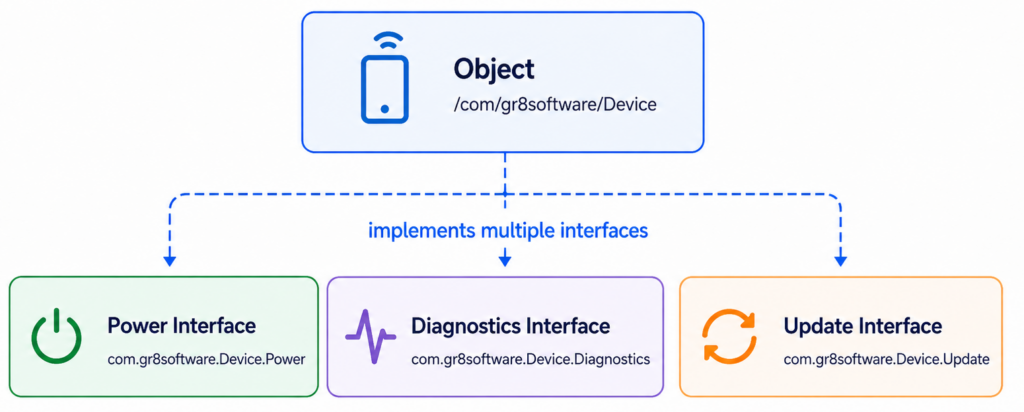
An object path alone does not say much. The interface defines what the object can do. For example, a device object could expose several interfaces:
com.gr8software.Device.Powercom.gr8software.Device.Diagnosticscom.gr8software.Device.Update
Each interface groups related methods, properties and signals. This is the contract between the service and its clients. The object is where the contract is exposed. The interface is what the contract contains.
Methods, properties and signals
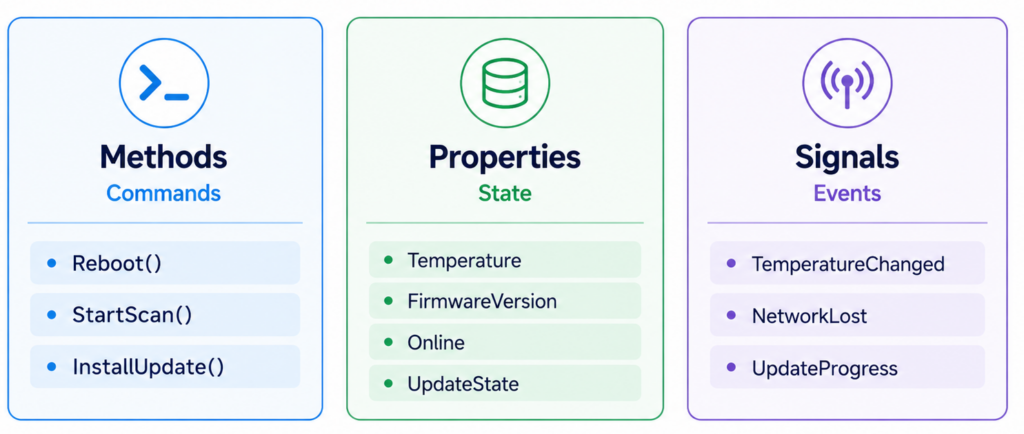
Most D-Bus APIs are built from three basic concepts:
- Methods are commands: client calls a method when it wants a service to do something.
- Properties are state: client reads a property when it wants to know the current state of something. Some properties may also be writable.
- Signals are events: service emits a signal when something happened and interested clients can react to it.
This simple distinction helps a lot when designing your own D-Bus API.
What happens during a method call
A method call is just a message exchange. Imagine a client wants to call com.gr8software.Device.Power.Reboot()
The flow looks like this:
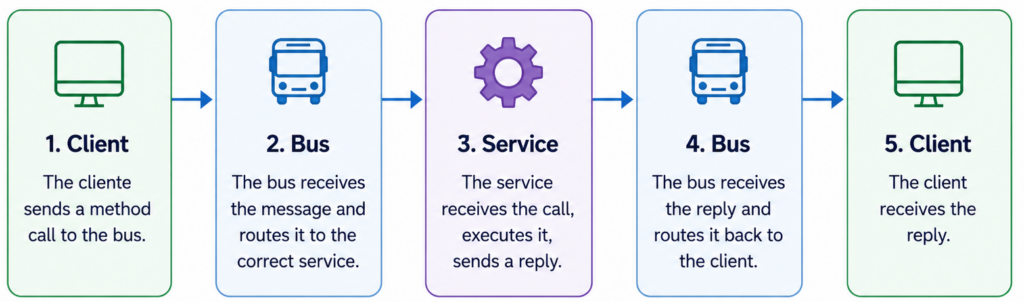
The important part is that the bus is not the service. The bus does not reboot the device. The bus does not decide whether rebooting is safe. The bus only delivers the message. Your service owns the behavior. Your service owns the validation. Your service owns the security decision. We will come back to that when we talk about polkit.
Why D-Bus is useful in embedded Linux
Embedded Linux systems are often built from independent daemons. One daemon owns networking. Another owns Bluetooth. Another owns updates. Another owns diagnostics. Another owns the UI. Another owns factory test logic. These processes need to communicate.
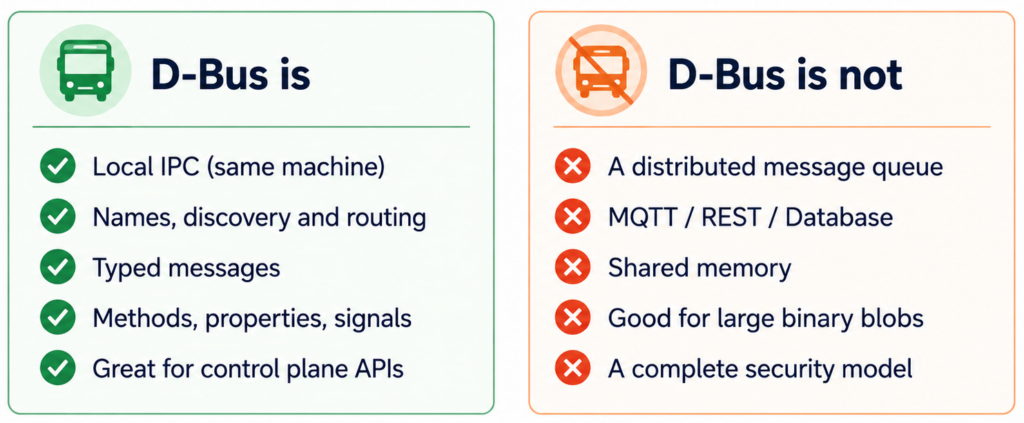
You can solve that with private Unix sockets, custom protocols, files in /tmp, signals, shared memory or HTTP endpoints on localhost. Sometimes those are valid choices. But when you need a stable local control API between processes, D-Bus is often a good fit. It gives you names, discovery, typed messages, properties, signals and a common toolset. That is why so many Linux system services expose D-Bus APIs.
What D-Bus is not
D-Bus is useful, but it is not the answer to every IPC problem. D-Bus is best used for control plane APIs. Start this operation. Read this state. Notify me when this changed. For high-volume data plane traffic, you probably want something else. Use D-Bus where it fits.
⚠ Warning
Do not stream video frames over D-Bus. Do not push large firmware images through D-Bus if a file descriptor or file path would be a better contract.
A simpler way to think about D-Bus
If you remember only one thing, remember this:
💡 Tip
D-Bus is a local message bus where services expose objects, objects implement interfaces, and clients exchange method calls, replies, properties and signals with them.
That is it. The terminology looks intimidating, but the model is small. In the next post, we will use this model to explore real D-Bus APIs with busctl and introspection. Because once you can read an existing D-Bus API, writing your own becomes much less scary.